
Hacker News
Emerge ToolsNews & Magazines
4.02.00 Reviews
- Version
- 1.0.6
- Installs
- 10.00K
- Age Rating
- Everyone 10+
Screenshots
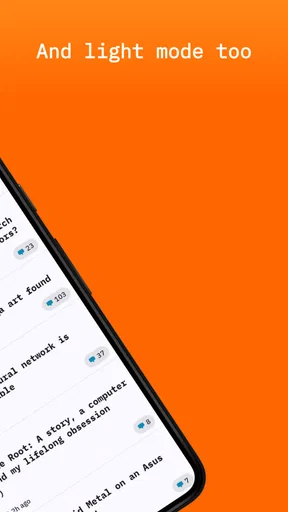
Our Review of Hacker News
 Analysis by Appyee
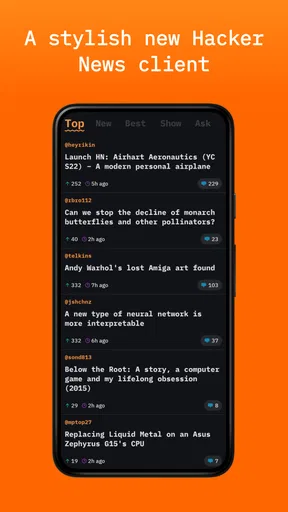
Hacker News is the kind of news app I open when I want to see what people in software, startups, security, and technology are discussing without wading through a general-purpose news feed. Developed by Emerge Tools, it is a free News & Magazines app built around Hacker News, with an open-source approach that will appeal to readers who prefer a focused tool over a large media platform. After spending time with it, my impression is clear: this is a practical reader for following technical conversations, not a complete replacement for every news source on a phone.
The app is currently at version 1.0.6 and supports devices running iOS 11 or later. That broad system requirement makes it approachable for people using older Apple hardware, while the Everyone 10+ content rating reflects the fact that the subject matter can include mature technical discussions even though the app itself is straightforward to use. It has a 4.0 average from around 33 ratings and has passed 10K installs, so it has a small but visible audience rather than the reach of a mainstream news client.
How I use it for a calmer Hacker News routine
My normal workflow starts with a quick scan rather than opening every story. Hacker News is at its most useful when I treat the front page as a filter for ideas: I look at the titles, notice which subjects keep appearing, and open only the links that match something I am actively curious about. The app makes that habit feel natural because it keeps the experience centered on the feed instead of surrounding it with unrelated headlines, video panels, or algorithmic entertainment.
That focus is also the first important trade-off. A Hacker News reader is only as useful as the source it represents. If you want local reporting, sports, politics, weather, or a broad mix of publications, this is the wrong category of app. I would not install it as my only news tool. I would use it alongside a general news app, an RSS reader, or direct subscriptions, depending on what I need elsewhere.
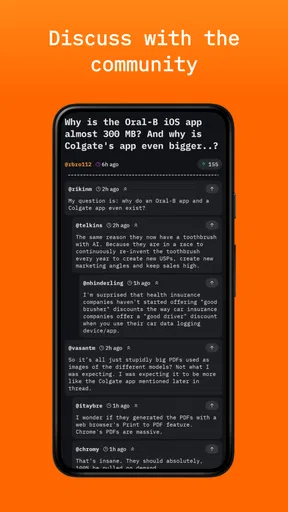
For technical readers, however, the narrow scope is a strength. A story about a programming language, a security incident, a database, a research paper, or a founder’s experience can lead to a useful discussion in the comments. I often find the comment thread more valuable than the original headline, especially when experienced users point out assumptions, missing context, or practical consequences. The app is therefore best understood as a doorway into a conversation, not merely a list of links.
One everyday scenario shows where it fits well. If I have ten minutes before a meeting, I can scan the current stories, open one article that looks relevant, and return later with a better sense of what technical people are paying attention to. I do not need to plan a reading session or organize a large collection of feeds first. That low-friction check-in is more useful to me than endlessly refreshing a general social feed.
What the first reading session feels like
On a first launch, I would resist the temptation to judge the app by how much it does not include. Its value comes from restraint. The interface is meant to get me from a headline to the source or discussion quickly. There is no need to learn a complicated dashboard before reading. That makes it friendly to someone who already knows Hacker News and wants a mobile entry point.
At the same time, new users should understand the culture of the source. Headlines can be terse, technical, or intentionally understated. A story that looks uninteresting at first may become worthwhile after reading the comments, while a dramatic-looking title may lead to a discussion with little practical value. I recommend giving the app a few sessions before deciding whether it suits you, because its usefulness depends on learning how to judge the feed.
I also found that the app rewards selective reading. Opening every item creates the same problem found in larger news products: too many tabs, too much context switching, and not enough time to think. My better routine is to choose one story for depth and perhaps save the rest mentally for another visit. The reader is simple enough to support that habit, but it does not make the judgment for me.
Settings and choices worth checking early
Because this is an open-source Hacker News reader, I would spend a few minutes exploring the available controls instead of assuming the default arrangement is ideal. The most useful settings are the ones that affect how quickly I move between the feed, the linked article, and the discussion. Even a small change in reading behavior can matter when the app is used several times a day.
I pay particular attention to whether the current setup encourages reading the comments or sends me straight to external pages. For me, the comments are often the reason to use a dedicated Hacker News app, so I want a workflow that makes the discussion easy to reach. If I am researching a topic, I then open the original article and compare the source with the reactions. That two-step habit reduces the chance of forming an opinion from a headline alone.
It is also worth checking any available appearance or reading preferences that make long technical posts easier to handle. I prefer a comfortable text presentation over a dense screen because many linked articles contain code, diagrams, or long explanations. A reader that looks efficient during a ten-second scan can become tiring during a twenty-minute article, so I judge the settings by sustained reading rather than by the first impression.
Another practical check is notification behavior. I do not want a Hacker News reader turning every interesting story into an interruption. If the app offers notification controls on the device, I would keep them conservative and let my own reading schedule decide when to open it. The point of this kind of app is deliberate discovery, not pressure to react instantly to every new post.
There is a broader lesson here: settings are most useful when they support a repeatable purpose. I would not change options just to make the app feel customized. I would decide whether I am using it for quick scanning, deep reading, or comment monitoring, then adjust the reading experience around that goal. That approach is more reliable than collecting preferences without changing how I actually use the app.
Shortcuts and faster reading patterns
The fastest pattern I found is a three-pass routine. First, I scan titles and skip anything that clearly falls outside my interests. Second, I open one or two promising items and check both the source and the discussion. Third, I stop when I have learned something useful instead of continuing until the feed is exhausted. This keeps the app from becoming another endless-scroll destination.
A second pattern is topic-based rather than time-based. If I am working on a particular technical problem, I use the feed as a discovery layer: I look for related stories, follow the most relevant link, and read comments for terminology or competing viewpoints. I then leave the app and apply what I found to my actual work. The important detail is not to confuse browsing with research. Hacker News can surface leads, but I still verify important claims in the original material.
For regular users, a simple weekly rhythm works better than constant checking. I might do a short scan during the week and a longer reading session when I have time to follow several discussions. This makes the app feel like a curated technical newspaper rather than a stream demanding attention. It also helps me notice recurring themes instead of reacting to isolated posts.
When I encounter a useful discussion, I treat the comments as a map of questions. I note which terms, tools, or sources appear repeatedly, then search for those directly later. This is a non-obvious strength of the format: even when the original article is not right for me, the conversation can reveal the vocabulary needed to continue learning. The app does not need to provide a full research system for that workflow to be effective.
There is a trade-off with this speed. Skimming can make the app feel productive while leaving me with shallow impressions. I avoid that by choosing a stopping point before I start. For example, I may decide to read one article carefully and only scan the rest. That small rule prevents the feed from taking over the time I intended to spend on something else.
Where the open-source focus helps, and where it does not
The open-source identity matters to me because it signals a different priority from a heavily commercial news platform. I am more comfortable with a focused reader that does not need to turn every visit into a large engagement funnel. It also makes the project interesting to technically minded users who care about how their tools are built and who prefer community-oriented software.
Still, open source should not be treated as a guarantee that every personal preference will be covered. A smaller, focused reader may feel less polished than a major news application, and it may not offer the same depth of customization, account features, or cross-service integration that some users expect. I would choose it for its direct relationship with Hacker News, not because the open-source label automatically makes it superior in every respect.
The app is especially appealing if you already know what Hacker News is and want a clean way to check it on an iPhone or iPad. Someone unfamiliar with the community may find the feed abrupt at first. In that case, a broader technology news app could provide more explanation and editorial framing. Hacker News is better for discovery and discussion than for a carefully packaged daily briefing.
Limits I noticed before making it a daily tool
The narrow subject area is the biggest limitation. Even on a strong day, the feed cannot replace reporting from specialist publications, local sources, or outlets with professional editorial desks. Stories are selected and discussed by a community, which creates useful variety but also means that popularity and usefulness are not always the same thing.
The discussion format has limits too. Comments can add expertise, but they can also become argumentative, repetitive, or overly confident. I try to separate firsthand technical experience from speculation and to look for links or clear reasoning before accepting a strong claim. This is not a criticism unique to the app; it is a reason to use the reader thoughtfully.
Another limitation is that the app’s simplicity may feel too modest for people who want a full reading-management system. If your ideal workflow includes extensive tagging, synchronized archives, newsletters, offline libraries, or a large collection of unrelated feeds, a dedicated RSS or read-later service will probably serve you better. I would not choose this reader to organize my entire information life.
It is also not the best choice for passive consumption. The experience makes more sense when I am willing to open links, compare viewpoints, and decide what deserves further attention. If I only want polished summaries that can be read in a minute, a conventional news briefing will be more comfortable. This app asks me to do a little more work, but that work is part of why the results can be more rewarding.
Who should install it
I recommend it to programmers, developers, students of technology, startup observers, security enthusiasts, and curious readers who enjoy following ideas before they become mainstream coverage. It is also a good fit for anyone who wants a small, free companion to a broader news setup. The modest install base does not bother me here; a specialized reader does not need to be a mass-market product to be useful.
I would skip it if your main goal is a general news homepage, a personalized feed spanning many subjects, or a polished magazine-style reading experience. I would also skip it if you dislike comment-driven discussions or do not want to verify claims beyond a headline. In those cases, a general news app or conventional RSS reader will likely be a better match.
The free price makes experimentation easy, and the Everyone 10+ rating means it is suitable for a wide audience, but suitability still depends on interests rather than age alone. The content can be technical and occasionally intense, so I would introduce it to younger readers as a discussion and discovery tool, not as a complete educational source.
My verdict after building a repeatable habit
Hacker News works best when I use it intentionally: scan briefly, choose carefully, read the discussion, verify important details, and then leave with a question or useful lead. That routine turns a simple reader into a surprisingly effective way to keep up with technical conversations without surrendering an entire evening to a feed.
My final recommendation is positive but specific. This is not the app I would hand to someone asking for all-purpose news, and it does not remove the need for original sources or deeper research. For the right reader, though, its focused design and open-source character make it a sensible mobile companion. Emerge Tools has created a tool that stays close to the Hacker News experience, and I would keep it installed for those moments when I want informed technical discussion rather than another stream of generic headlines.
Verdict
Strengths of Hacker News
- Clean, distraction-free interface focused on technology news.
- Stories are ranked by community engagement, not paid promotion.
- Comments often provide valuable technical insights and different viewpoints.
- Fast loading and lightweight, even on older mobile devices.
- Supports browsing discussions without requiring an account.
Limitations of Hacker News
- The front page can feel repetitive when similar stories gain traction.
- Comment quality varies, with occasional hostility or unhelpful replies.
- Limited multimedia features compared with modern news applications.
- Older posts may become difficult to find without using external search.
- Some technical discussions are hard for casual readers to follow.
Similar Picks in This Category
View All
Google News - Daily Headlines
Google LLC4.0

X
X Corp.4.8

Flipboard:Your Social Magazine
Flipboard3.4

Opera News: breaking & local
Opera4.5

Hindi News by Dainik Bhaskar
Dainik Bhaskar Group4.0

Way2News Daily News App
Way2News ( Formerly Way2SMS )4.6
Frequently Asked Questions
What is Hacker News, and what can I do with the app?
Hacker News is a technology-focused news and discussion platform operated by Y Combinator. It features links and original posts about programming, startups, artificial intelligence, science, security, and related topics. After installing a Hacker News app or using a mobile client, you can browse ranked stories, read comment threads, vote, save interesting posts, and participate in discussions with a Hacker News account.
Is Hacker News an official app from Y Combinator?
Users should check the exact application name, developer, and store listing before downloading because Hacker News is primarily a web service rather than a single universally recognized official mobile application. Many third-party Android and iOS clients provide access to the same public platform, but their design, privacy practices, features, and update quality can differ. Download only from a trusted store and review the developer information carefully.
Do I need an account to read Hacker News?
An account is generally not required to browse stories, open linked articles, or read public comments. However, signing in is necessary if you want to submit posts, vote, comment, favorite items, or manage other personalized features. Account creation is handled through Hacker News, while some third-party apps may offer additional sign-in options or synchronization. Always confirm what permissions and login details the client requests.
Is Hacker News suitable for beginners and non-technical users?
Hacker News is accessible to anyone interested in technology, but much of its content is aimed at developers, founders, researchers, and experienced internet users. Discussions may include specialized programming terms, business concepts, and detailed technical debates. Beginners can still find valuable explanations and introductory articles, although the experience may feel demanding at first. The quality and usefulness of each discussion depend on the submitted link and community responses.
Is Hacker News free, and are there advertisements or privacy concerns?
Access to Hacker News is generally free, although the experience may vary depending on the mobile client you choose. The official website is known for its simple interface and limited advertising, while third-party apps may include ads, analytics, subscriptions, or optional purchases. Before installing, review the app’s privacy label, requested permissions, data practices, and developer reputation, especially if the app handles your Hacker News login credentials.
